Cancel reservations and optionally process refunds from web or mobile.
Heads up: TablelistPro bookings can only be refunded within 48 hours after the reservation date. After that, contact TablelistPro and we'll refund on your behalf.
Web
Go to Reservations, pick the date, and open the reservation.
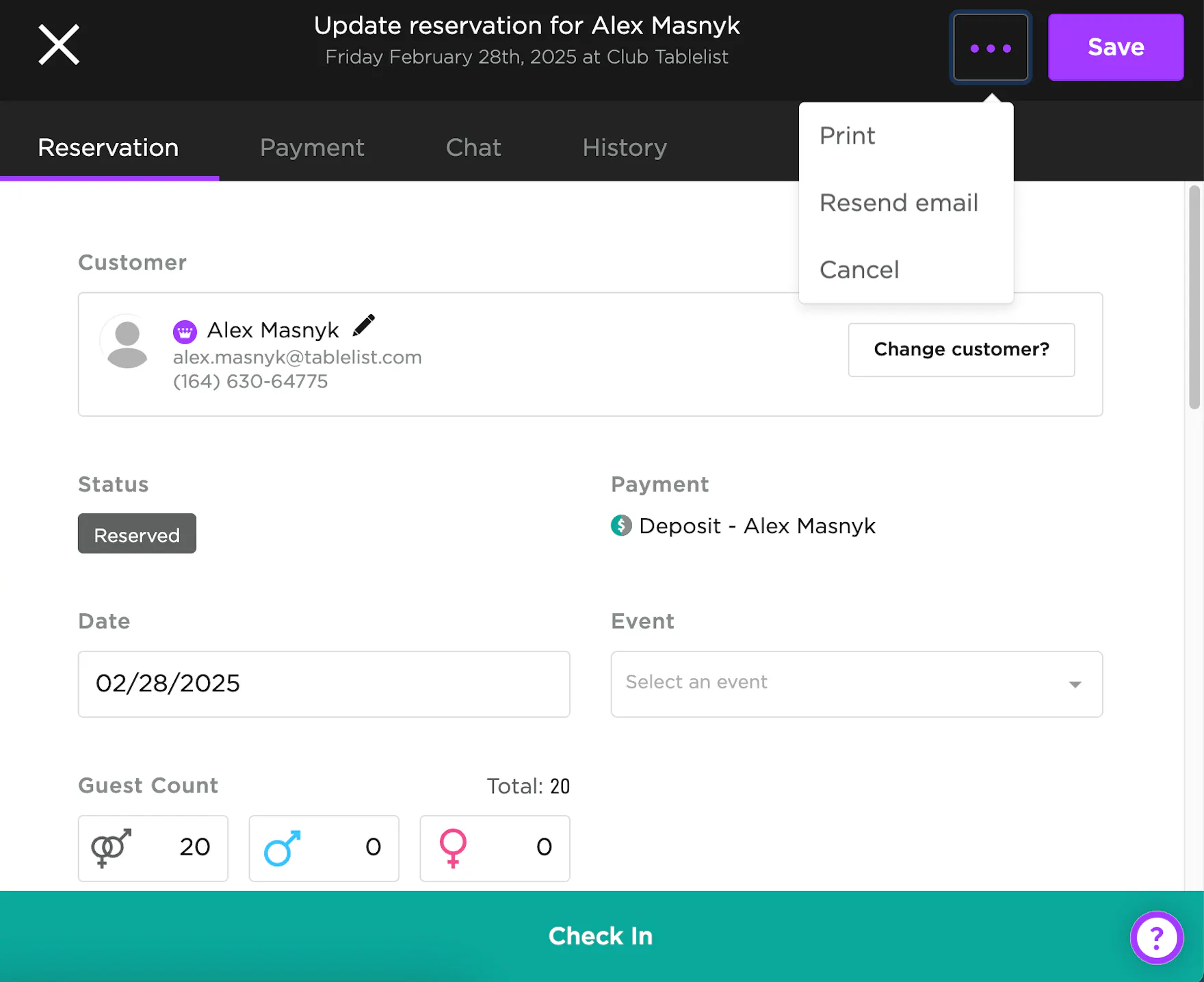
Click the three purple dots -> Cancel.
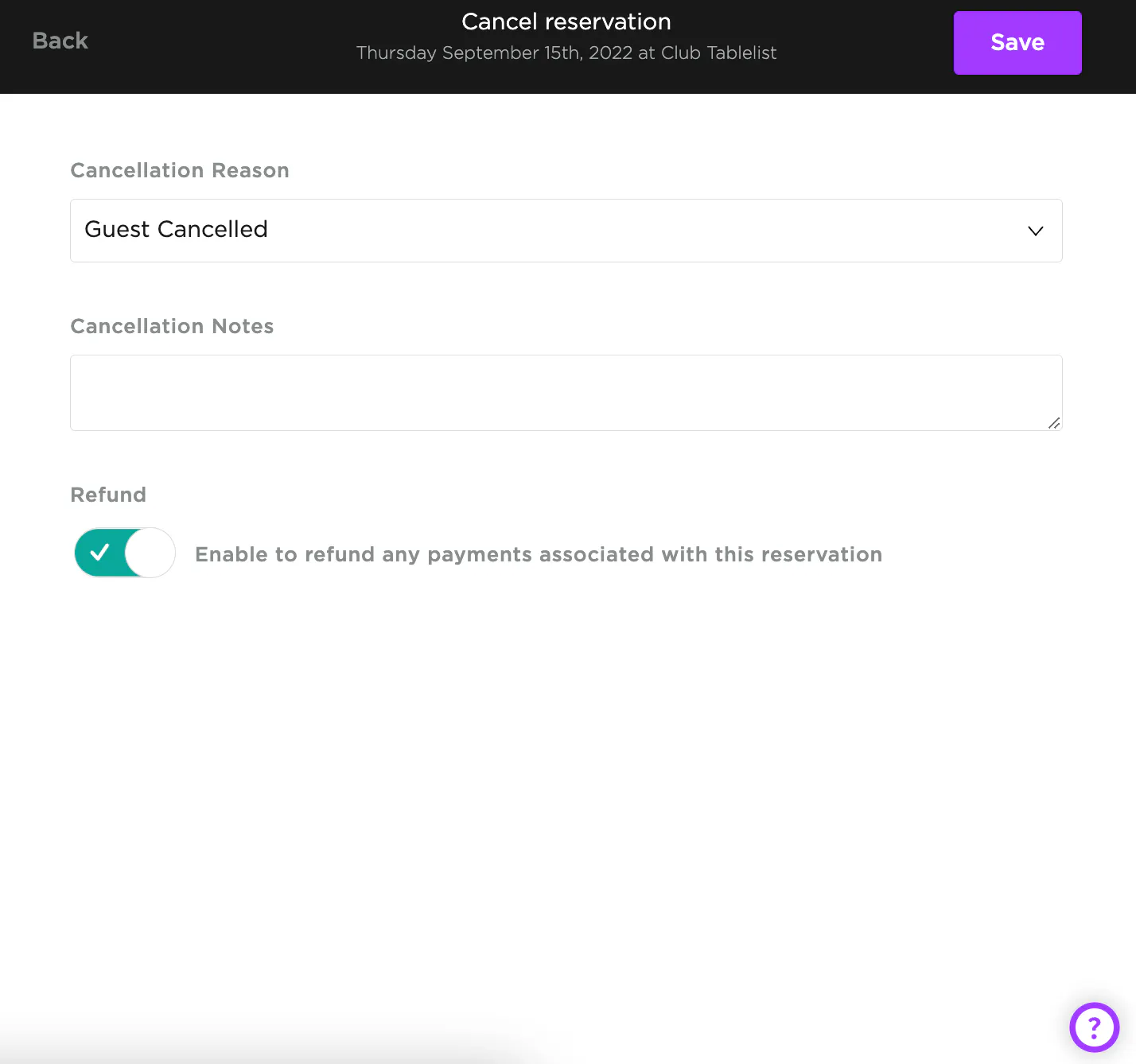
Add a cancellation reason and optional notes, choose whether to refund, then Save.
iOS
Open Reservations, select the date, then open the reservation.
Under Details, toggle Canceled on.

Add a reason and optional notes, choose whether to refund, then Save.

Android
Android follows the same cancellation flow as iOS.
UI details may vary slightly by device, but cancellation and refund behavior are the same.