Choose how TablelistPro notifies you about bookings, payments, and Customer Chat so you never miss what matters.
- Open the account menu from the sidebar (your profile row or the ⋯ button).
- Click your name to open Account.
- In the Account sidebar, click Notifications.
- For each venue, check SMS, Email, and/or Push for the alerts you want.
- Click Save.
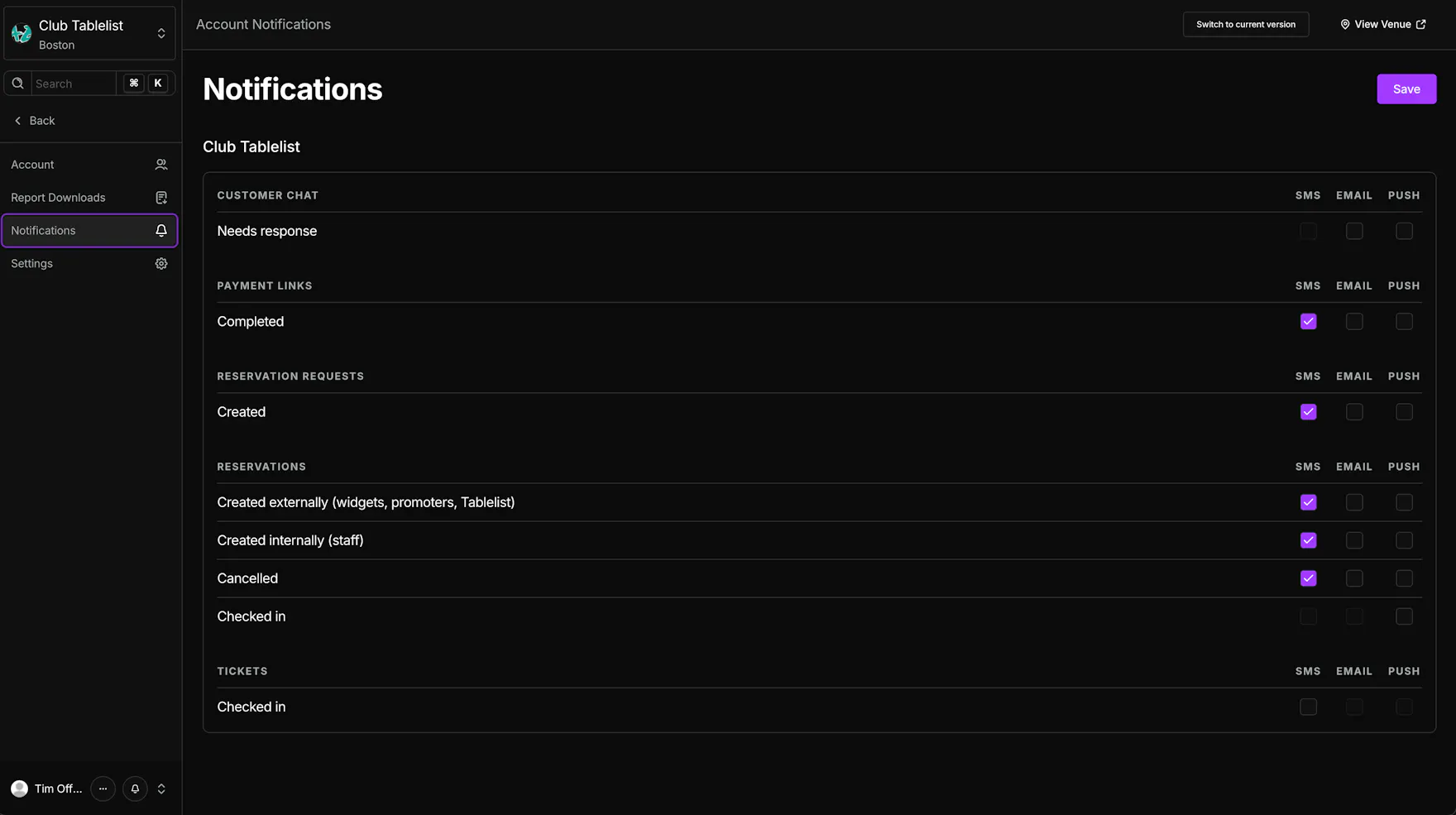
Notification categories include:
- Customer Chat -- Needs response
- Payment Links -- Completed
- Reservation Requests -- Created
- Reservations -- Created externally (widgets, promoters, Tablelist), Created internally (staff), Cancelled, Checked in
- Tickets -- Checked in
Some rows do not support all channels, so certain checkboxes stay disabled.
This page controls your personal notification preferences. To configure a staff member's notifications, see Choosing Staff Member Notifications.
Related guides: